
Using Hearing Aids With Your Phone, TV and Accessories
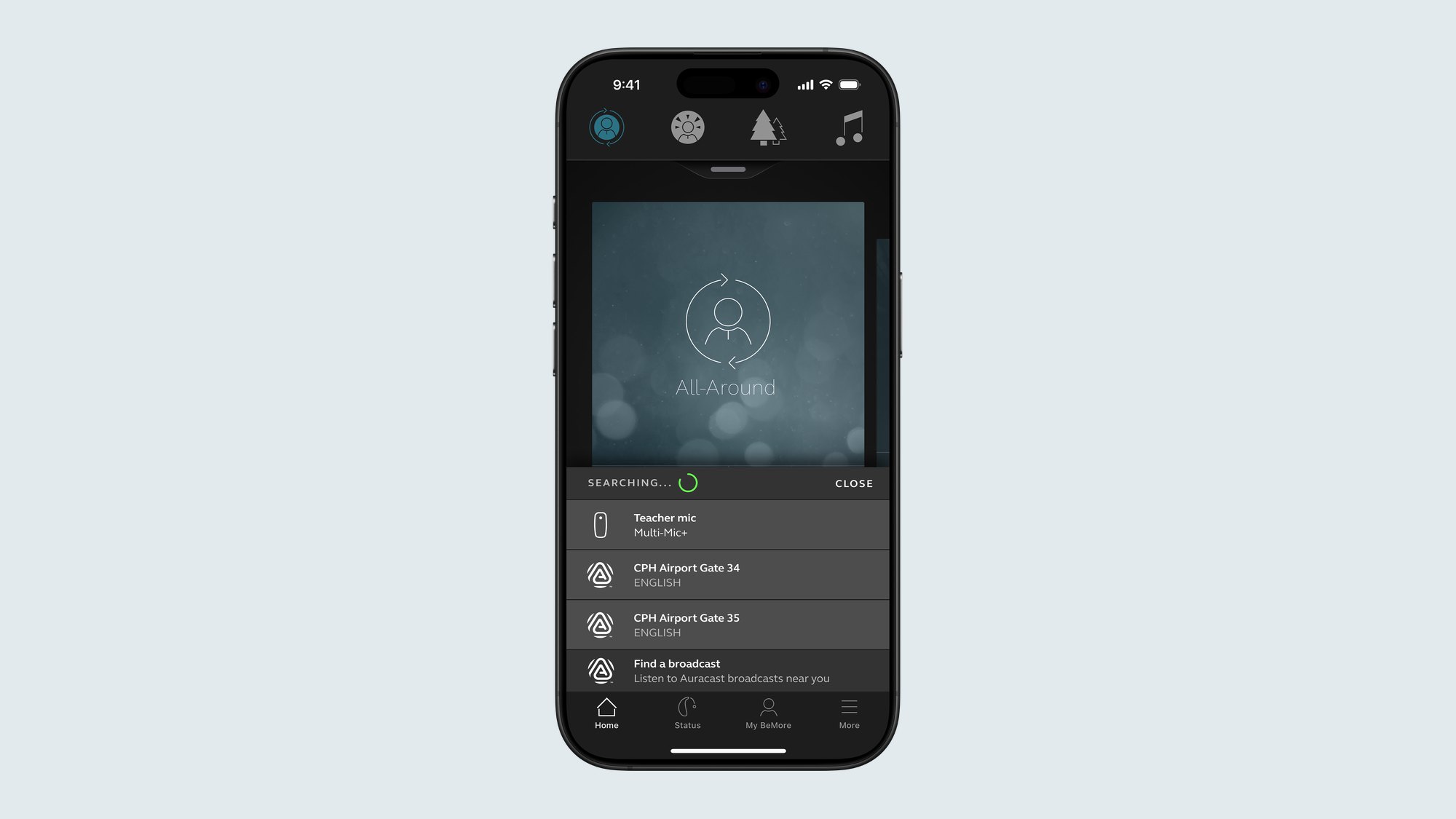
Many modern hearing aids can connect wirelessly to a smartphone, a TV or other devices, so that sound is sent straight to your hearing aids instead of travelling through the room first. This is called streaming, and it can make phone calls, television and conversations in noisy places easier to follow.
Not every hearing aid connects in the same way, and compatibility depends on both the hearing aid model and your phone or device. Accessories such as a TV streamer, a remote microphone or a remote control can add extra help in specific situations. Your audiologist can tell you what your hearing aids support and set things up with you.
What is hearing aid streaming?
Normally, a hearing aid picks up sound through its microphones. In a quiet room with one speaker nearby, this works well. But sound loses clarity as it travels across a room, and background noise and echoes can mix with it. Streaming sends the audio signal directly to the hearing aids, which can make speech and media clearer and more comfortable to listen to.
Hearing aids may connect directly to compatible phones and tablets, or they may use an intermediate accessory. Some devices also work with a hearing loop or telecoil in public places. Which options you have depends on your hearing aids.
Using hearing aids with your phone
Depending on your devices, you may be able to:
- Hear phone and video calls in both ears through your hearing aids.
- Listen to music, podcasts or navigation directions.
- Adjust volume or change listening programmes from a smartphone app.
Tips for getting started:
- Ask your audiologist whether your hearing aids and phone are compatible before you try to pair them.
- Follow the pairing steps for your hearing aids; these often involve your phone's accessibility or Bluetooth settings and restarting the aids.
- Keep your phone's software and any hearing aid app up to date.
- If calls are hard to hear, ask at a follow-up visit about phone settings or programme adjustments.
Using hearing aids with the TV
Television can be challenging: the speaker may be across the room, other people may be talking, and dialogue can be mixed with music and effects. Turning the TV up can also make it too loud for others.
A TV streamer is an accessory that connects to the television and sends its sound directly to compatible hearing aids. This lets you set a comfortable level in your hearing aids while others keep the TV at their usual volume. You can ask our team about the Danavox TV-Streamer+ and whether it is compatible with your hearing aids.
Remote microphones for conversations
In a busy café, at a family gathering, in a meeting or in the car, the voice you want to hear can be lost in background noise. A remote microphone is a small microphone worn by the person speaking or placed on a table. It picks up their voice close to the source and sends it to your hearing aids.
Remote microphones are often helpful for one-to-one conversations in noise, for listening to a speaker at a distance, and for some people at work or in classes. The Danavox Multi-Mic+ is one example available through our centre.
Remote controls
Some people prefer to use a small handheld remote control to change volume or listening programmes, rather than pressing tiny buttons on the hearing aids or using a smartphone app. This can be especially useful for people who find small controls difficult to handle. The Danavox remote control is one example.
Ask our team about other compatible accessories — contact us.
Getting the most from connectivity
- Start with one feature at a time. Begin with what matters most to you, such as phone calls or TV, and add more once you feel comfortable.
- Ask for a demonstration. Seeing it set up in clinic often saves frustration later.
- Bring your phone to appointments. It helps your audiologist check pairing and settings.
- Remember accessories need care too. Keep them charged and clean, and store them safely.
Accessories support good listening but do not replace a well-fitted hearing aid. Comfortable everyday hearing still depends on accurate fitting and follow-up.
When to see a specialist
Book an appointment if:
- You are struggling with phone calls or TV despite wearing your hearing aids.
- You cannot pair your hearing aids with your phone, or the connection keeps dropping.
- You find conversations in noisy places tiring or hard to follow.
- You would like to know which accessories are compatible with your hearing aids.
You can book online or contact us so our team can advise on compatibility and the next step. You can also read about our Danavox hearing aid fitting service.
Frequently asked questions
Can every hearing aid stream from a phone?
No. Streaming depends on the hearing aid model and on the phone or device you want to use. Some hearing aids connect directly to compatible phones, while others need an accessory. Ask your audiologist to check what your devices support before you buy or pair anything.
What does a TV streamer do?
A TV streamer connects to your television and sends its sound directly to compatible hearing aids. This means you can listen at a level that suits you, while other people in the room keep the TV at their usual volume.
When is a remote microphone useful?
A remote microphone is useful when the person you want to hear is at a distance or when there is a lot of background noise, such as in restaurants, meetings, cars or classrooms. The speaker wears or places the microphone nearby, and it sends their voice to your hearing aids.
Related reading
- Hearing Aid Technology Levels Explained: What Changes Between Essential and Premium
- Communication Tips for Talking With Someone Who Has Hearing Loss
- Getting Used to New Hearing Aids: The First Weeks
Sources
This article is general information and does not replace advice from a qualified professional.